
Introduction
Learn what Calends tracks and where it runs before setting up your ledger.
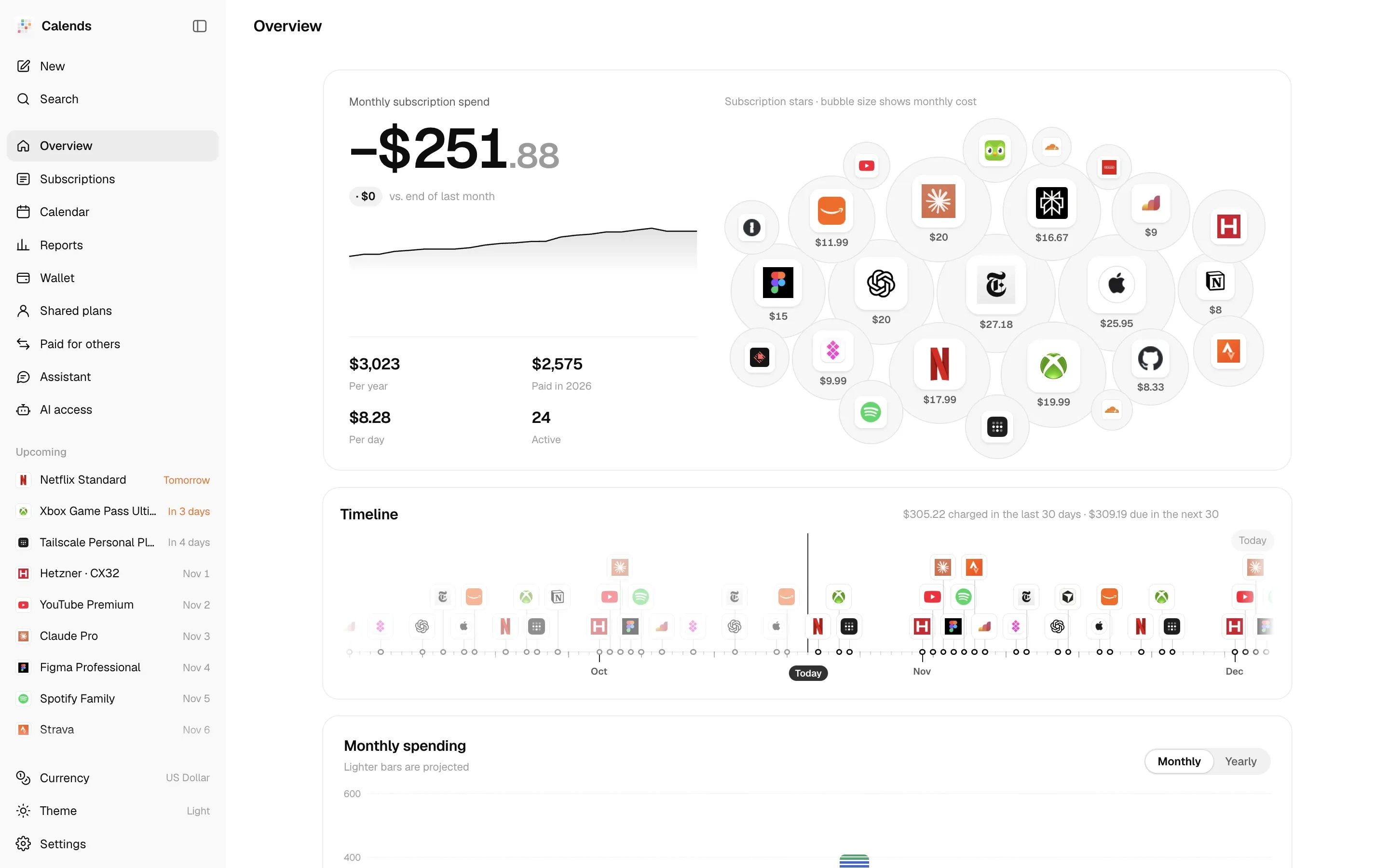
Calends is a subscription ledger you deploy yourself and use on your own. It records more than “how much per month”: it keeps the whole story of each subscription — when it started, every charge, the day the price went up, the region you moved to, who you share it with, and who still owes you money.
Who it’s for
Section titled “Who it’s for”Use Calends for situations such as:
- You subscribe through App Store accounts in different regions, paying in Turkish lira, Nigerian naira or yen, and want everything converted into one base currency.
- You organize a family plan and need to know how far each member has paid and how many periods they owe.
- You pay for subscriptions on behalf of friends or family — the money leaves your card, but it isn’t your spending.
- You pay with gift cards, App Store balances or phone credit, and want to know how long the balance will last and when to top up.
- You want Claude, Codex, Cursor or another AI assistant to answer “what renews next week?” or carry out “Netflix went up to $17.99 from today”.
What it does
Section titled “What it does”- Every billing cycle: every n days, weeks, months or years, and lifetime purchases; trials, intro offers, free time, pauses, “not renewing”. See Subscriptions and billing cycles.
- Full history: price changes, region and plan switches, payment method changes, lapses and resubscriptions; old and new plans can overlap. See Price history and phases.
- Multi-currency: past charges use that day’s exchange rate, future ones use today’s. See Currencies and exchange rates.
- Wallet and runway: how many charges a balance still covers, when it runs out, and how much to top up for a full year. See Wallet and balance runway.
- Shared plans and paying for others: members, billing periods, paid-through dates and payments, with net cost or profit per year worked out for you. See Shared plans and Paid for others.
- Reports: negative MRR, month-over-month changes, cash vs. accrual, prepaid value, a checkup with insights, and a year-in-review image. See Report metrics.
- Calendar and reminders: month and year views, a private ICS feed, and 11 notification channels. See Reminder rules.
- AI: a built-in assistant that reads receipts and screenshots, and an MCP server with 27 tools. See Built-in assistant and MCP access.
- Private by default: a single owner, password plus passkeys, and remote sign-out for devices. An optional public page is masked on the server.
- 14 interface languages, full JSON backup and restore, CSV import and export.
Where it runs
Section titled “Where it runs”Calends is a Cloudflare Worker that stores data in D1 (SQLite). You can:
- deploy it to your Cloudflare account with Workers, D1 and Cron; or
- run the official Docker image on any machine, with data kept as a SQLite file in a volume.
Both work the same. Email reminders rely on Cloudflare Email Sending and are only available on Cloudflare; every other notification channel needs no server configuration. See Quick start.
To look around first, open the live demo: sample data, read-only, no sign-in.
Open source
Section titled “Open source”Calends is MIT-licensed. The code is on GitHub.