
Paid for others
When paying for Alex or someone else, track each charge and repayment separately from your own spending.
Paying for others means a subscription you pay for someone else: it’s charged to your card, but it isn’t your expense, and you collect each charge back from them.
Setting it up
Section titled “Setting it up”Create or edit a subscription and set Who uses it to Paying for, then fill in:
- Paying for: pick someone from the people list or create a new person;
- Contact: a channel and account;
- a short note, e.g. “Coworker, pays at month end”.
Amount, currency, cycle and payment method are filled in as usual, and charges are projected as usual.
- After saving the subscription, open Paid for others and select it.
- Find the charge date and click Record.
- Check Charged, enter the repayment amount, currency and Date received, then click Save.
- Reopen the row to correct it, or choose Mark as due if the repayment has not arrived.
It doesn’t count as your spending
Section titled “It doesn’t count as your spending”Subscriptions you pay for others:
- aren’t counted in monthly cost, the number of active subscriptions, the Overview timeline and monthly spending, cash vs. accrual, or the year in review;
- don’t appear in the checkup, the changelog, the sidebar’s upcoming charges or the monthly bill preview;
- never appear on the public page.
The list labels them “Paid for others · not counted” or “Paid for name”.
The money does leave your card, so they still count toward the linked payment method’s balance runway, and they appear in the ICS calendar feed. The in-app calendar doesn’t show them.
The ledger per charge
Section titled “The ledger per charge”Open one on the Paid for others page. The table lists every charge:
| Column | Meaning |
|---|---|
| Charge date | When this charge happened. |
| Charged | Defaults to the subscription’s price. If your card settles in a different currency (the subscription is in JPY and your card is charged in USD), change it to the actual currency and amount. |
| Paid back | What they paid you, in which currency, and when. Empty means not received yet. |
| Difference | Paid back − charged. The charge is converted at the charge-date rate; the repayment at the rate of the day received. |
Click Record on a row to fill it in; a paid row can be marked as due again.
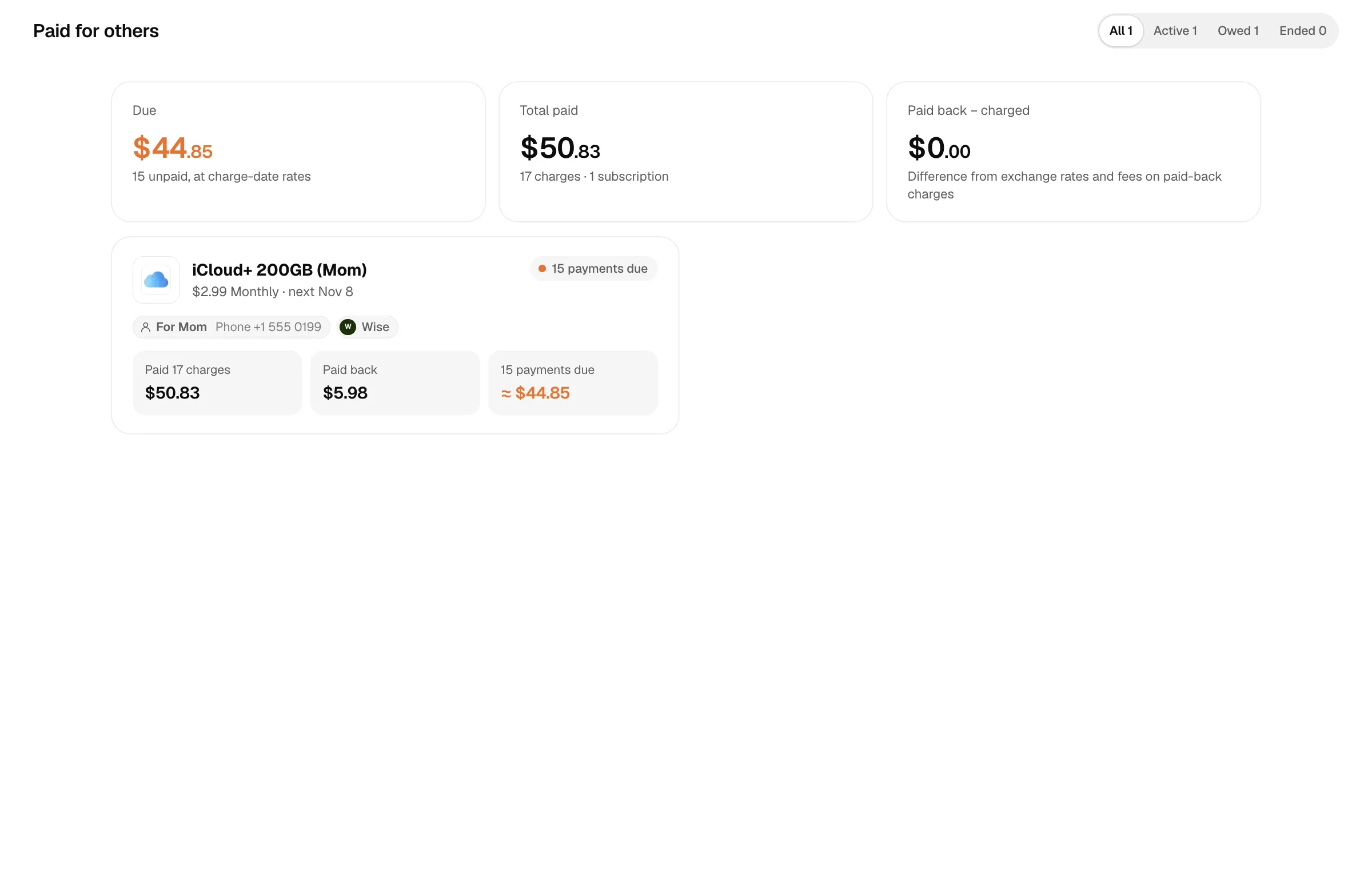
The top of the page sums up what’s owed (unpaid charges, at charge-date rates), the total you’ve paid, and the difference exchange rates and fees made on charges that were paid back. Filters show Active, Owed and Ended.
If you change the subscription’s start date and the charge dates no longer line up with existing records, Calends matches unpaired records within 15 days of a charge, so nothing is counted as owed twice.
Difference example
Section titled “Difference example”Alex’s card is charged 10 USD when 1 USD = 7.20 CNY, giving a cost of 72 CNY. The other person later repays 75 CNY. The difference is 75 − 72 = 3 CNY. It is a paid-for reconciliation difference, separate from personal subscription spending.
Reminders
Section titled “Reminders”You’re reminded on the day of each charge; if it hasn’t been paid back, again 3, 7, 14 and 30 days later. The reminder includes their contact and the amount charged. See Reminder rules.
Recording repayments with AI
Section titled “Recording repayments with AI”The MCP tool record_receivable with kind=proxy records a repayment; charge picks the charge (the oldest unpaid one by default). Passing only person finds that person’s single open item automatically. See MCP tool reference.