
A guide to your subscription ledger.
Set up Calends, keep your subscriptions current, and understand what you spend.
Use these guides to deploy Calends or look up a feature while keeping your ledger.
Choose your next step
Section titled “Choose your next step”Quick startDeploy your ledger, set up sign-in and add a subscription.
Built-in assistantPaste a receipt or screenshot. Review drafts before saving.
MCP accessConnect Claude Code, Codex, Cursor and other clients.
Self-hostingConfigure Cloudflare or Docker, then back up and upgrade.
See the ledger
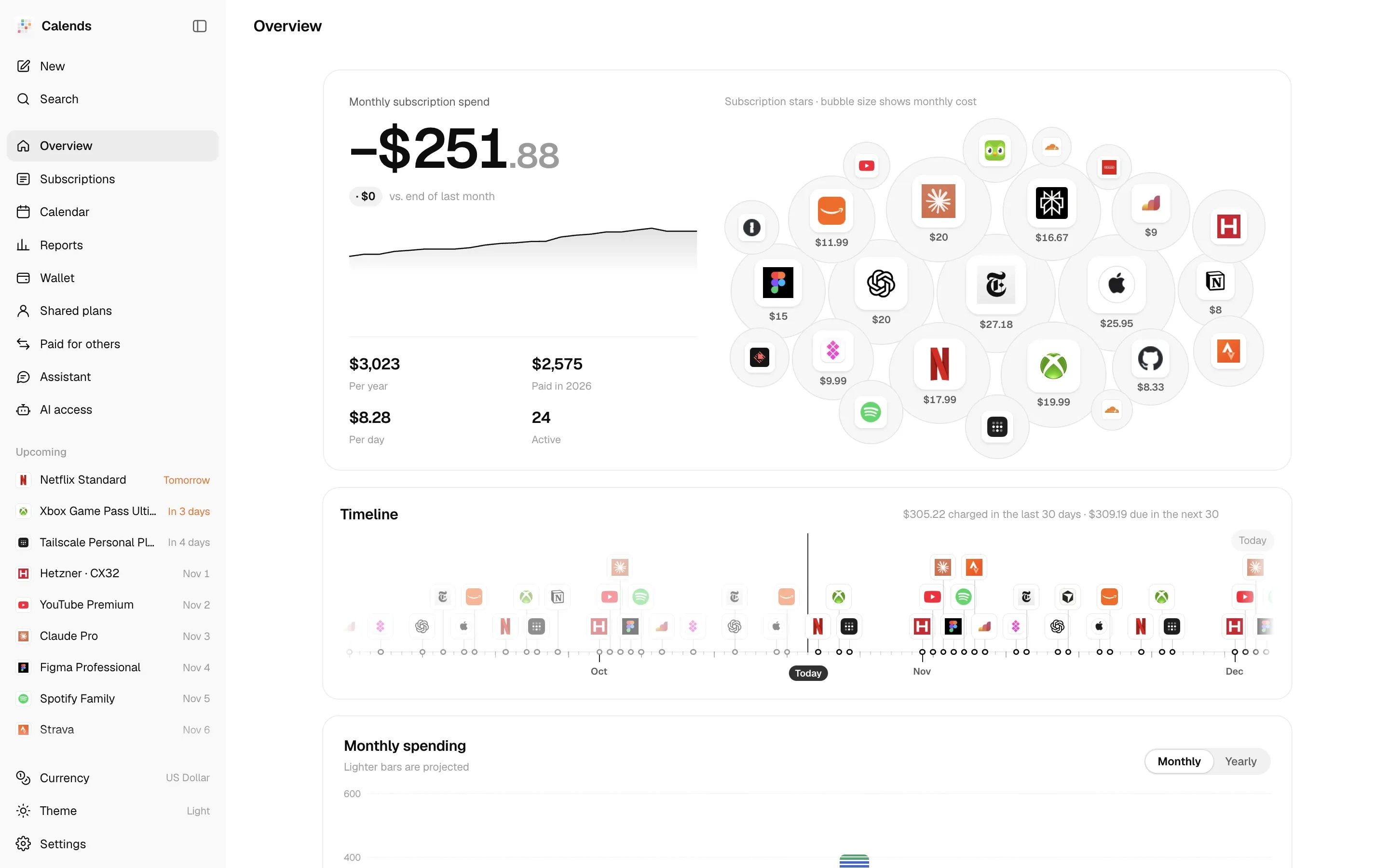
Section titled “See the ledger”Track recurring costs, the next charges and prepaid balances in one place. The screenshot below uses demonstration data.
Find a specific answer
Section titled “Find a specific answer”- How is a charge scheduled? Read billing cycles and price history.
- Why do these amounts differ? Check exchange rates, report metrics and balance runway.
- Who still owes me? Manage shared plans and subscriptions paid for others.
- How do I avoid missing a renewal? Set up calendar subscriptions and notification channels.
For a running ledger without setup, visit the live demo. To host it on your own machine, follow the Docker guide.